Music Snippet: Music Notation for Google Docs and Slides
June 2022 – This post has gotten a much-deserved update!
This blog post has been updated, just like the awesome tool it features! Flat.io, the creators of the well-known Google Add-on, Flat for Docs, has recently announced some changes to this tool, including a name change! Flat for Docs has re-branded, and is now known as Music Snippet. Music Snippet makes it easy to incorporate music notation into your Google Docs and Slides. Read on to learn more about Music Snippet and how to use it when creating resources for your music classes.

Music Snippet
While many people are familiar with Google Drive and the wonderful tools that accompany it such as Docs, Slides, Sheets, and Forms, I found that fewer are familiar with the add-ons that can make these tools even more robust. Music Snippet allows you to insert musical notation directly into a Google Doc or Slide, without ever leaving the application! Gone are the days of opening Sibelius, creating a new file, inserting your notation, taking a screenshot, and copying that into your document. With Music Snippet, you never have to leave Google!
These are a few of my favorite uses for Music Snippet:
- Create rhythm flash cards in Google Slides
- Create worksheets in Google Docs, containing both text and notation
- Use Google Slides to display and project a daily rehearsal plan containing notated warm-ups
- Have students compose simple melodies or rhythm patterns

How to Set Up Music Snippet
- Within Google Slides or Google Docs, go to the Add-ons menu. (In Google Docs, you might find this in the Extensions menu.) Select “Add-ons” and then “Get Add-ons.”
- Search for “Music Snippet” and Install. It’s that easy!
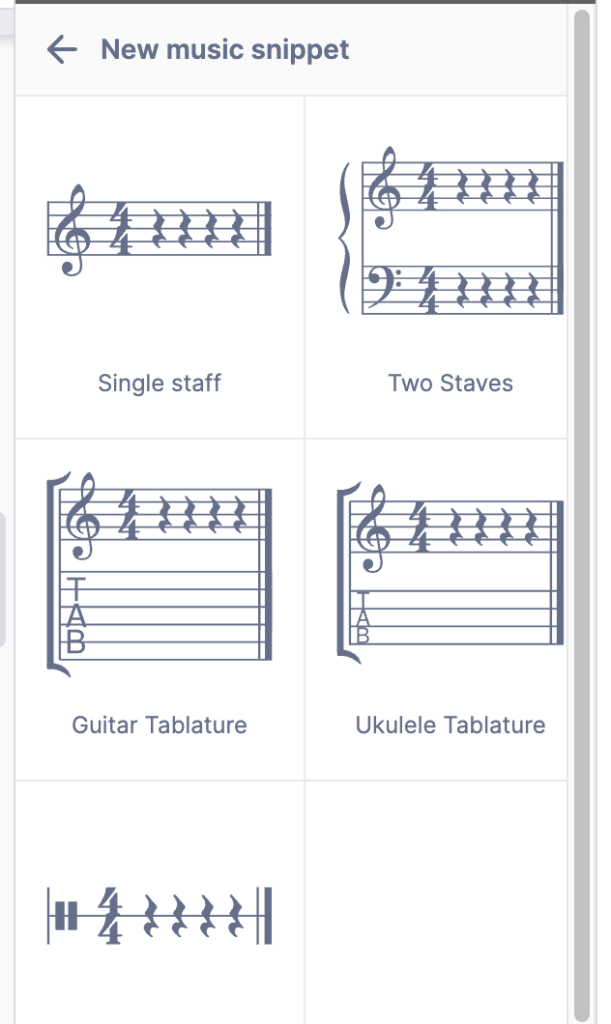
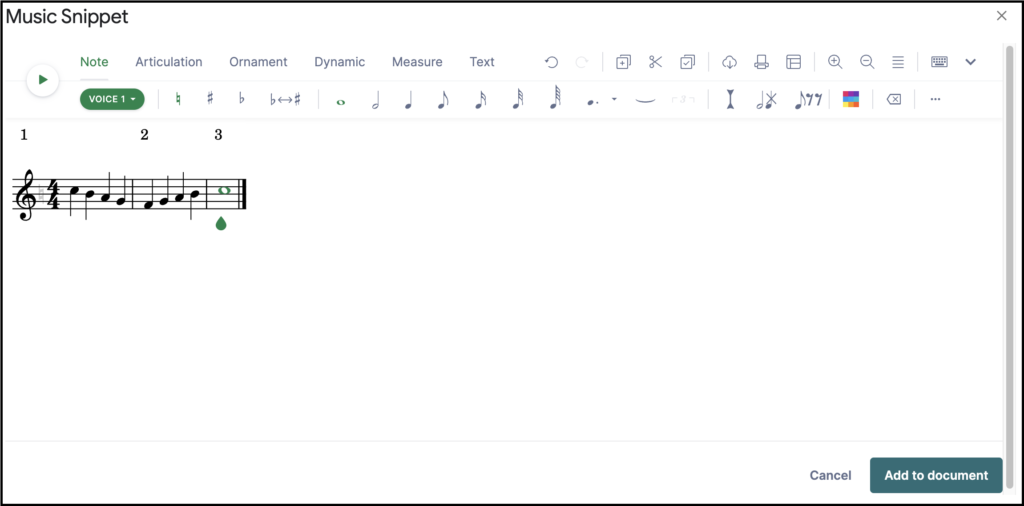
- When you are ready to use Music Snippet, return to the Extensions menu to select “Music Snippet.” Open the add-on and select “New Musical Snippet.” From there, you can start creating! The editor contains all the basic tools you need for music notation and several staff options to choose from.
- Once you finish creating, select “Add to Document” to insert your composition into your document. It will be inserted as an image.
Here’s a tutorial video with more details: Music Snippet
Flat for Education
What makes this add-on even more robust than its predecessor, Flat for Docs, is the easy integration with Flat for Education. By linking Music Snippet with your Flat for Education account, you can unlock even more features! With linked accounts you can save and edit snippets, import scores, and access all the Flat.io editor features. What a win! To learn more about Music Snippet and its integration with Flat for Education, check out this article: Music Snippet Has Arrived!
If nothing else, I hope this add-on saves you some time in the future. I would love to hear what other creative uses music teachers have found for using Music Snippet in their classrooms! Check out this post for some other ideas about using Music Snippet with Google Slides: Google Slides in Music.
Interested in learning more about Music Snippet and how you can incorporate music technology in your teaching? Check out my newest book, Empowering Ensembles With Technology!
This book is a one-stop-shop for music teachers looking to get started, or expand their experiences, with technology in the classroom. Help your students see themselves as musicians, both inside and outside the music room, by empowering them in the ensemble setting. Check it out today: Empowering Ensembles With Technology.